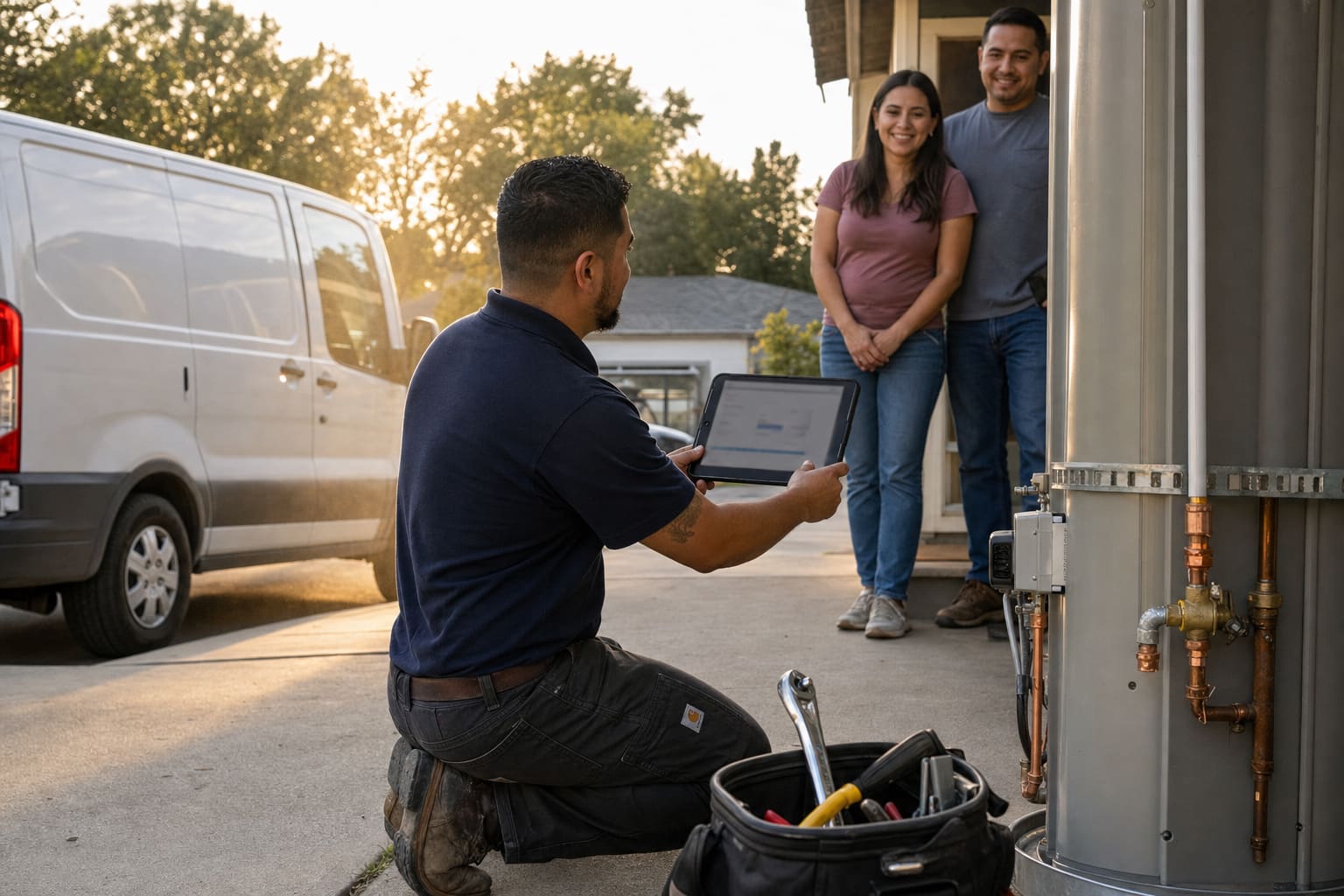






Jobber alternative · from $29/month
The affordable Jobber alternative for every service business.
Trades. Service shops. One truck or a full crew. Quote it, they pay to hold the day, you collect on the driveway — into your Stripe. Plumbing, HVAC, electrical, roofing, and the rest. From $29, not Jobber Connect at $139 for one person.
14-day trial · No annual contract · Built for small shops and busy crews
Built for the people who actually do the work
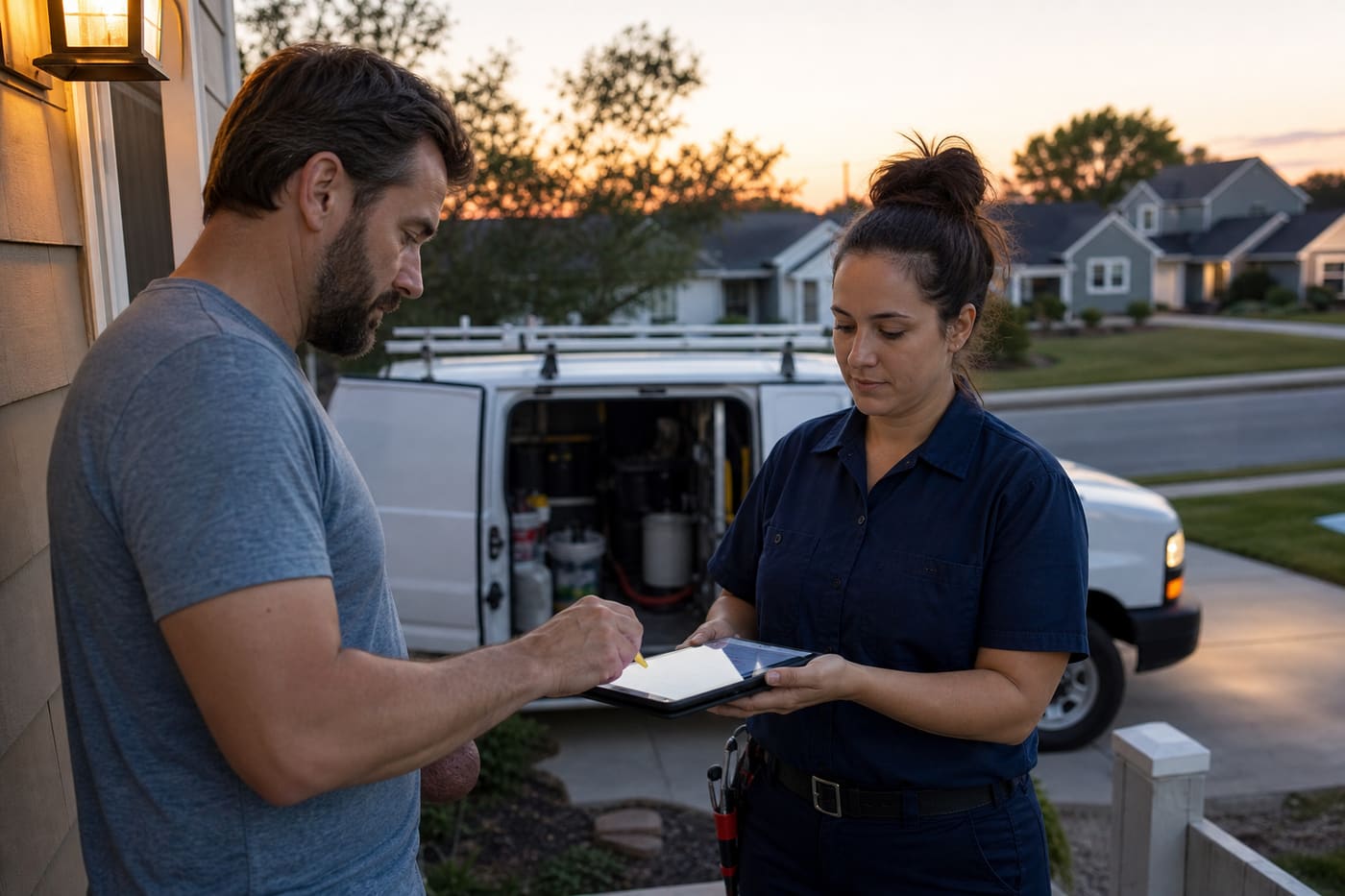


The day this software is for
Owners talking like owners — not a fake 4.8-star wall.
Example shops. The same voices we use in the product. Real reviews come after you run jobs.
“I used to invoice on Sunday night. Now the remaining is collected on the driveway, photos already on the bill.”
Tom BrennanExample · plumbing
“Connect wanted $139 a month for me alone. Starter is $29 and the follow-ups are already on.”
Alicia GrantExample · HVAC
“The house file is the whole point. I am not texting the last tech “what size was that disconnect?””
Erin WalshExample · electrical
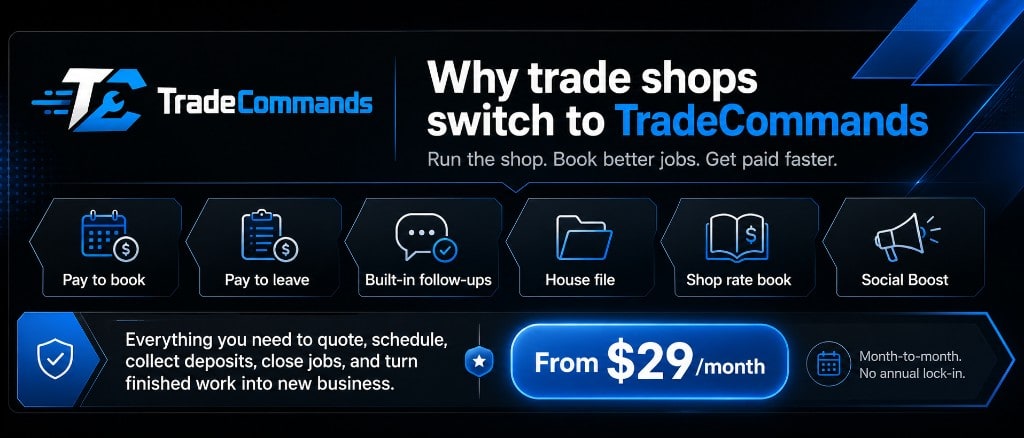
See it in action
The backend your crew would actually live in
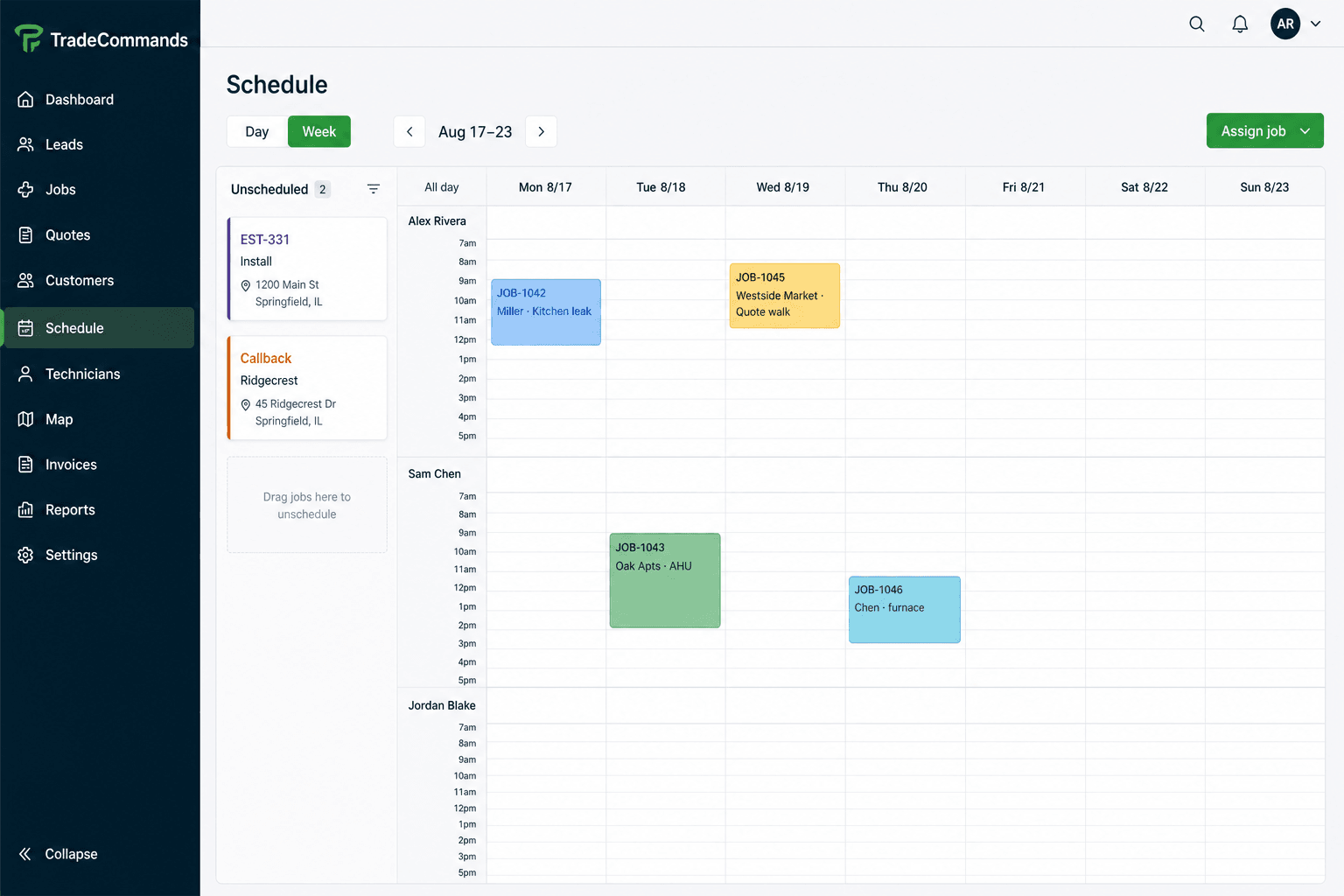
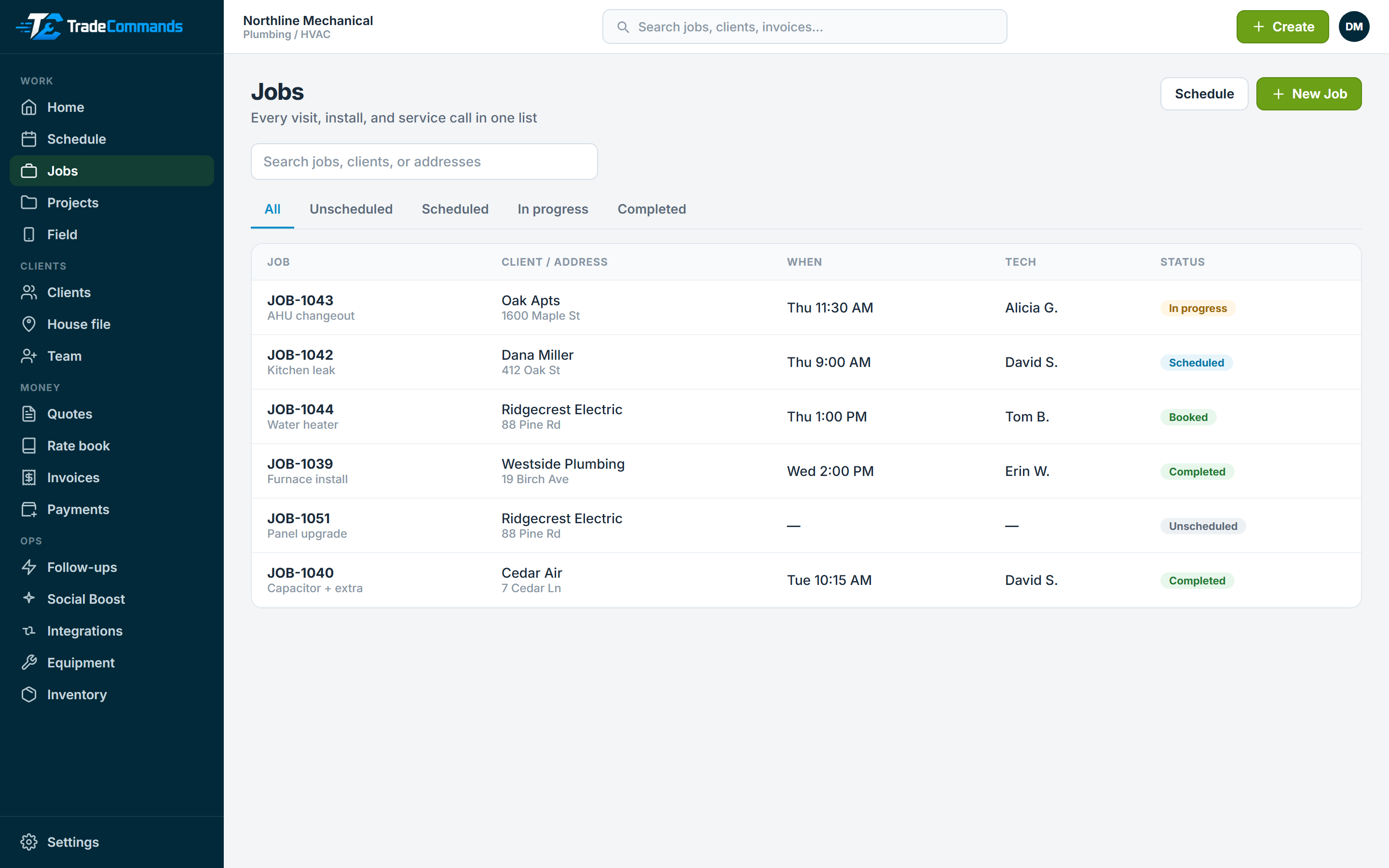
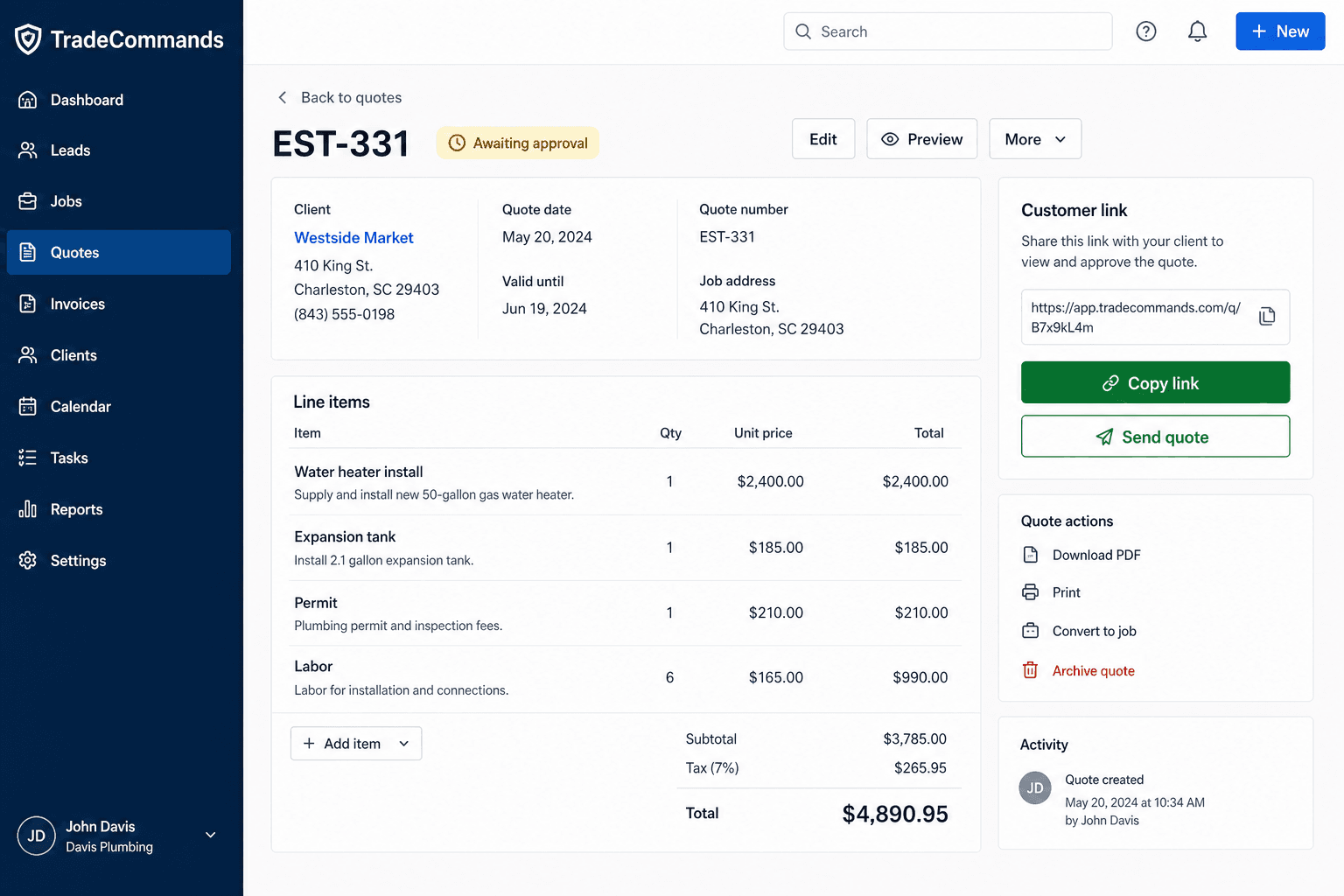
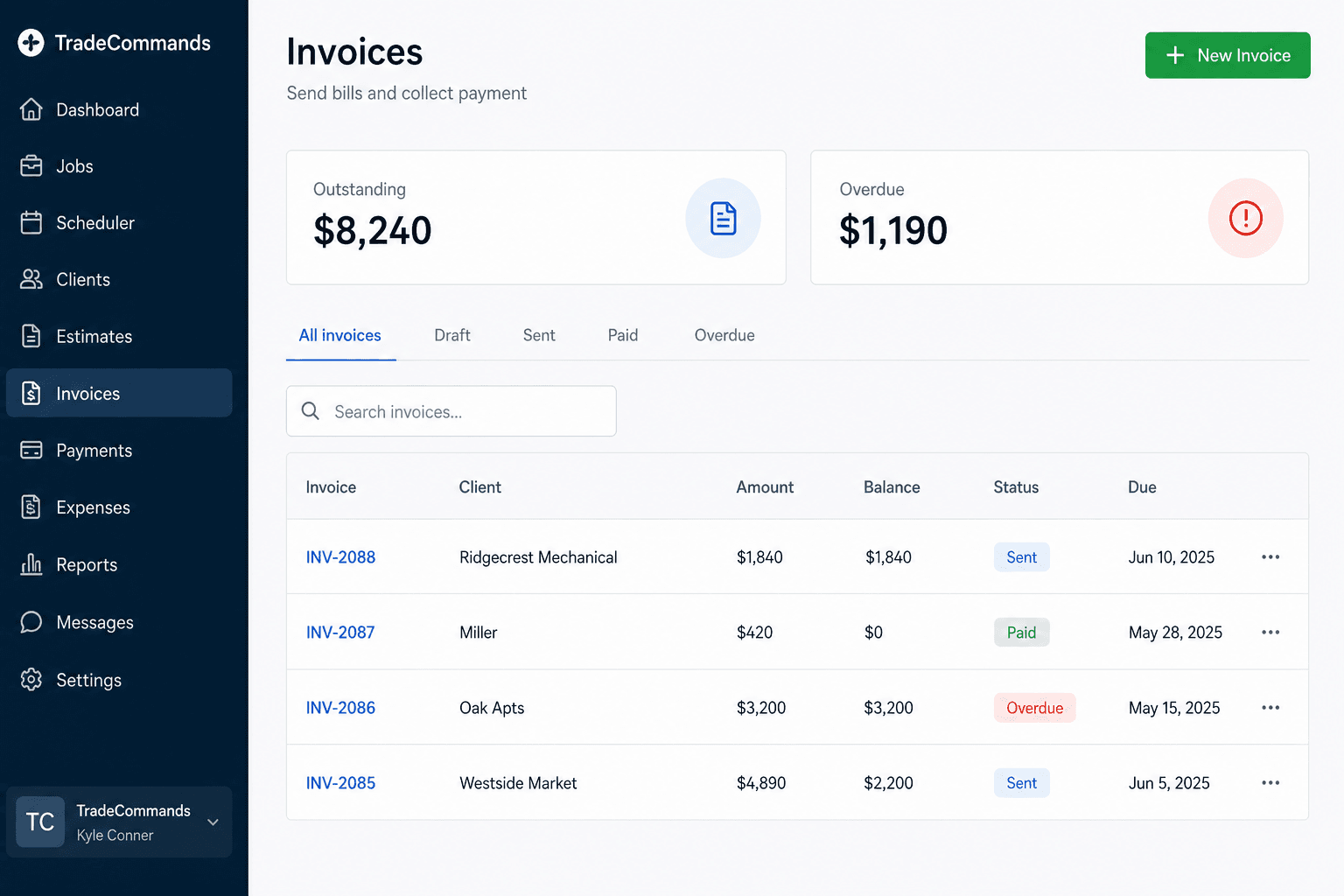
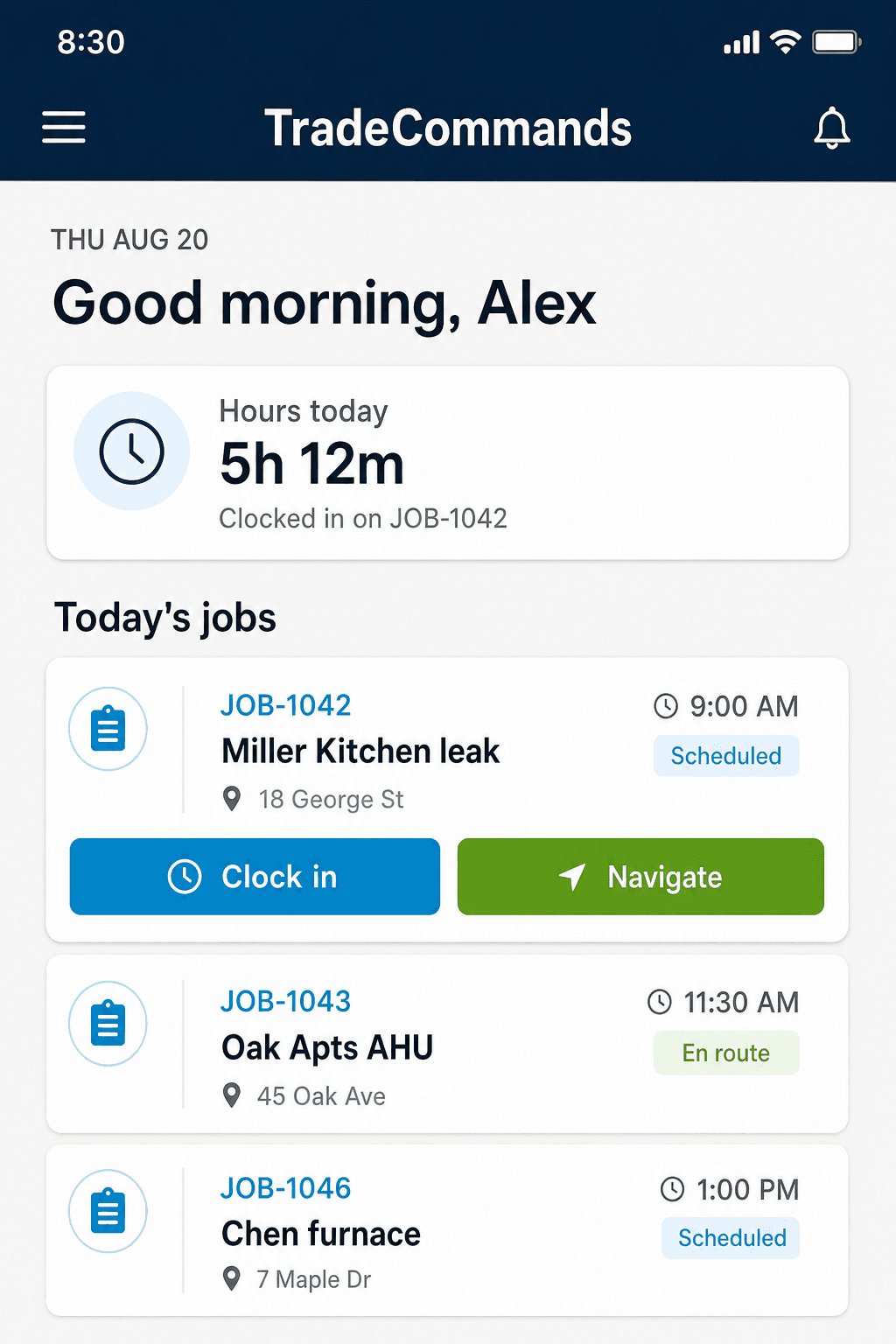
Dashboard, schedule, jobs, quotes, invoices, field, house file, rate book, and Social Boost. Nine live screens — this is the product, not a mockup deck.
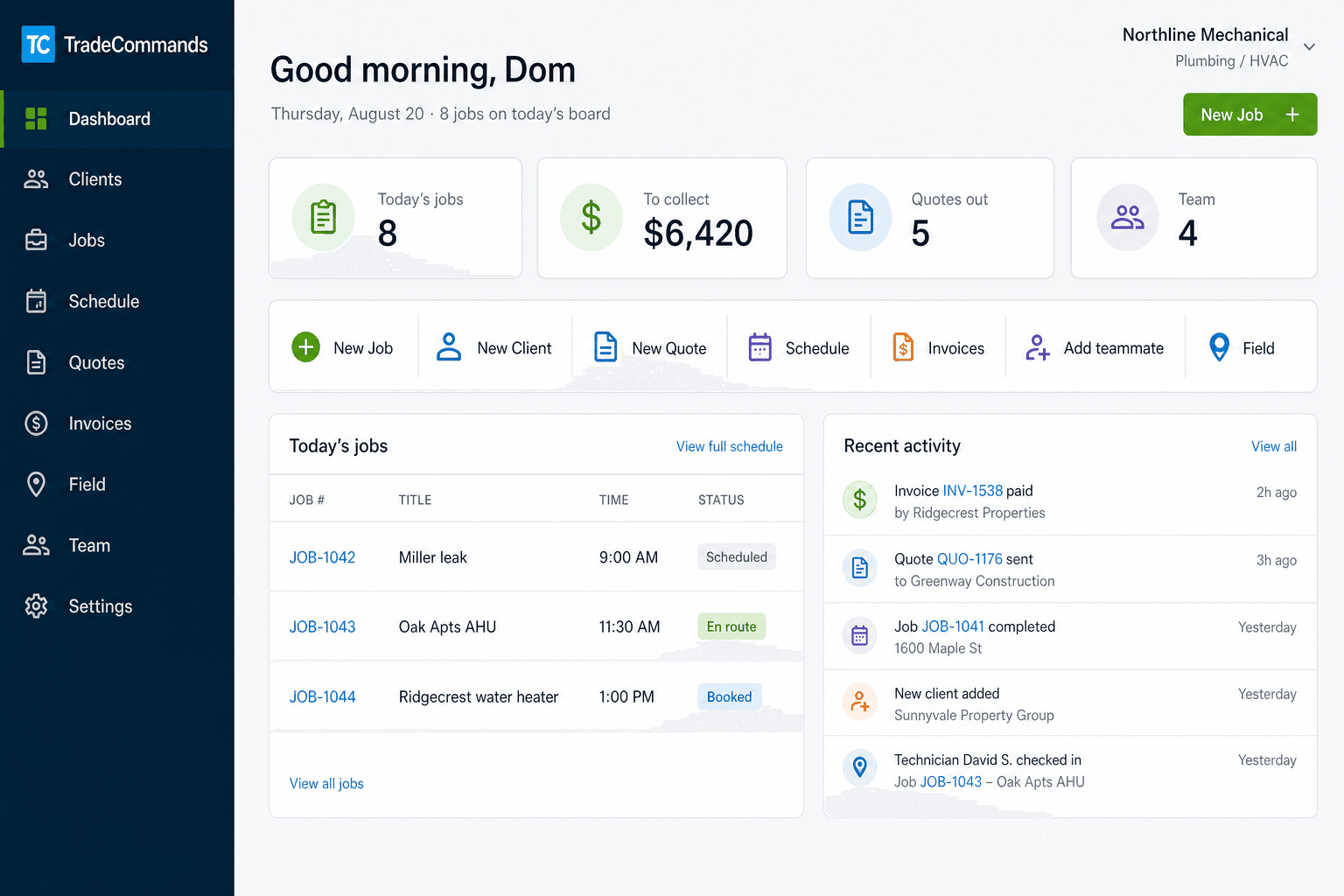
Customer payments
Bill clients directly. The money hits your Stripe.
Send a private invoice link. The customer pays by card on Stripe Checkout. Connect your own secret key and deposits go to you — not to TradeCommands.
- Connect your Stripe keySettings → Client payments. Paste sk_live_ or sk_test_ from the Stripe Dashboard.
- Send the invoiceOne link. The customer opens it on a phone and hits Pay with card.
- Collect into your accountStripe Checkout, then the invoice marks paid. Check and cash still record by hand.
* Connect your Stripe key so payments deposit to you. Stripe key guide. Or we’ll set it up for $49.
What Jobber will not default to
Pay to book. On the way. Pay to leave.
Jobber and Housecall Pro split this across requests, GPS texts, and invoices. One customer page. Money at both ends.
Approve & put money down
Customer opens the quote, picks a day, and pays 30% (you set the percent) into your Stripe. Only then does the job land on the board. Tire-kickers stop owning your Thursday.
- Deposit on the same approve tap
- Job created when the card clears
- Remaining balance already on the invoice
Book online. Hold is money, not a form.
Housecall Pro and Jobber take a request and call you back. Here the customer picks a day and pays a hold to your Stripe. The slot is not theirs until it clears. Same tracker then shows booked → on the way → pay remaining.
- Public /book link for Google and the website
- Hold applied to the final bill
- Tech taps On my way — no fake GPS
Don’t leave the driveway unpaid
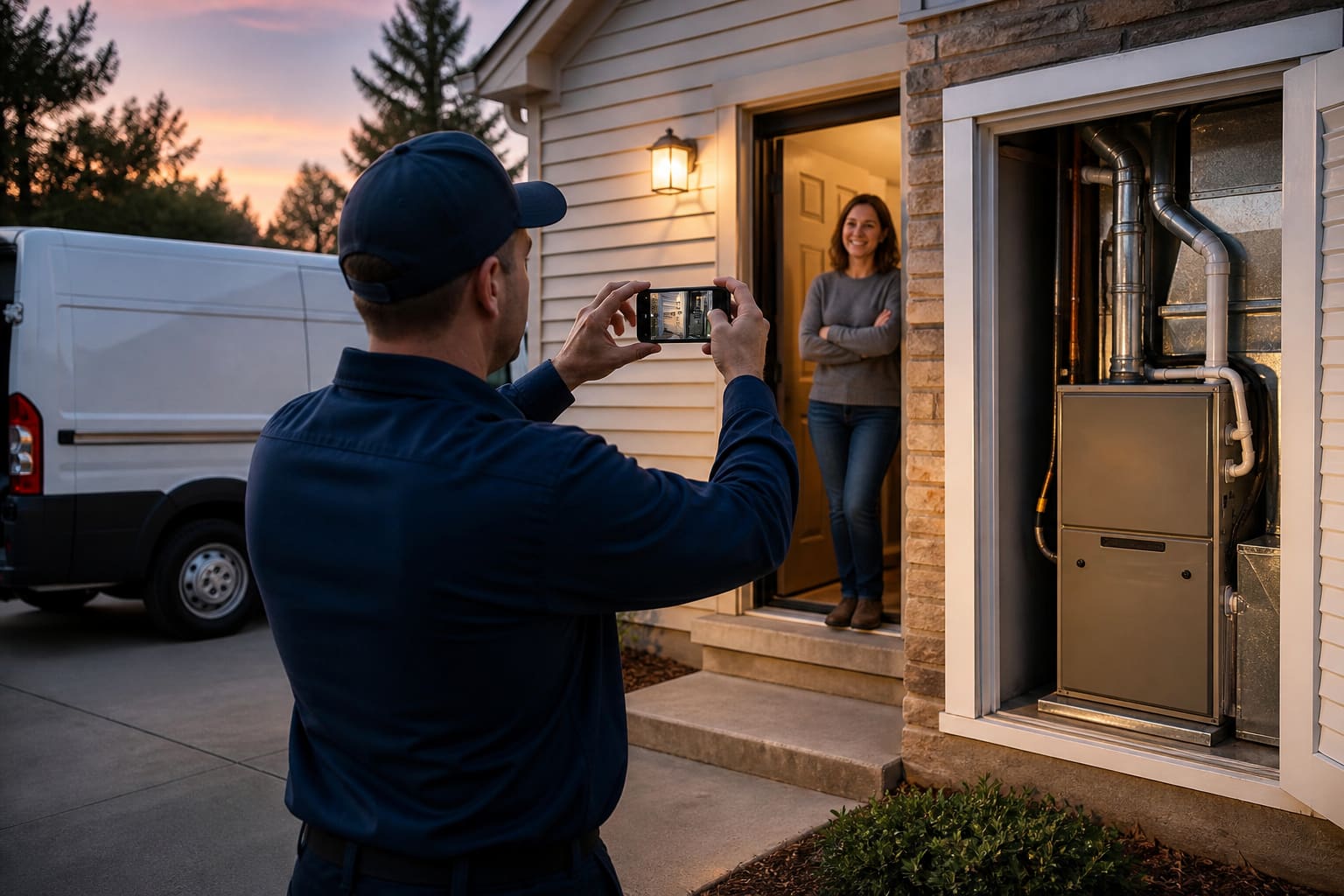
Tech taps Complete. Before/after photos go on the invoice. Remaining balance is collected on site — card, cash, or a pay link they can hit before you pull away.
- Photos the customer already saw, on the bill
- Collect remaining from the field phone
- Job isn’t quietly “green” with $1,800 open
What Jobber owners actually love
Follow-up that collects. On by default.
Jobber’s automation builder is a maze. Shops stay for quote nudges, invoice reminders, and “see you tomorrow.” We turn those on, and every email has the pay or tracker link.
01
Quote still sitting
If they viewed it and did not put a deposit down, they get the approve-and-pay link — not a “just checking in.”
02
Invoice still open
Unpaid and partial bills get a card link to your Stripe. The office does not keep a sticky note of who still owes.
03
Coming tomorrow
Customer gets the job tracker the day before: booked → on the way → pay remaining.
04
Review after paid
Jobber often asks after “complete” while $1,800 is still open. We wait until the invoice is paid.
What the truck actually needs
The house remembers. The van prices it the same.
Not another tracker. Not another pay screen. The two things ServiceTitan and Jobber shops quietly cannot work without — equipment at the address, and a rate book the office and the truck share.
House file
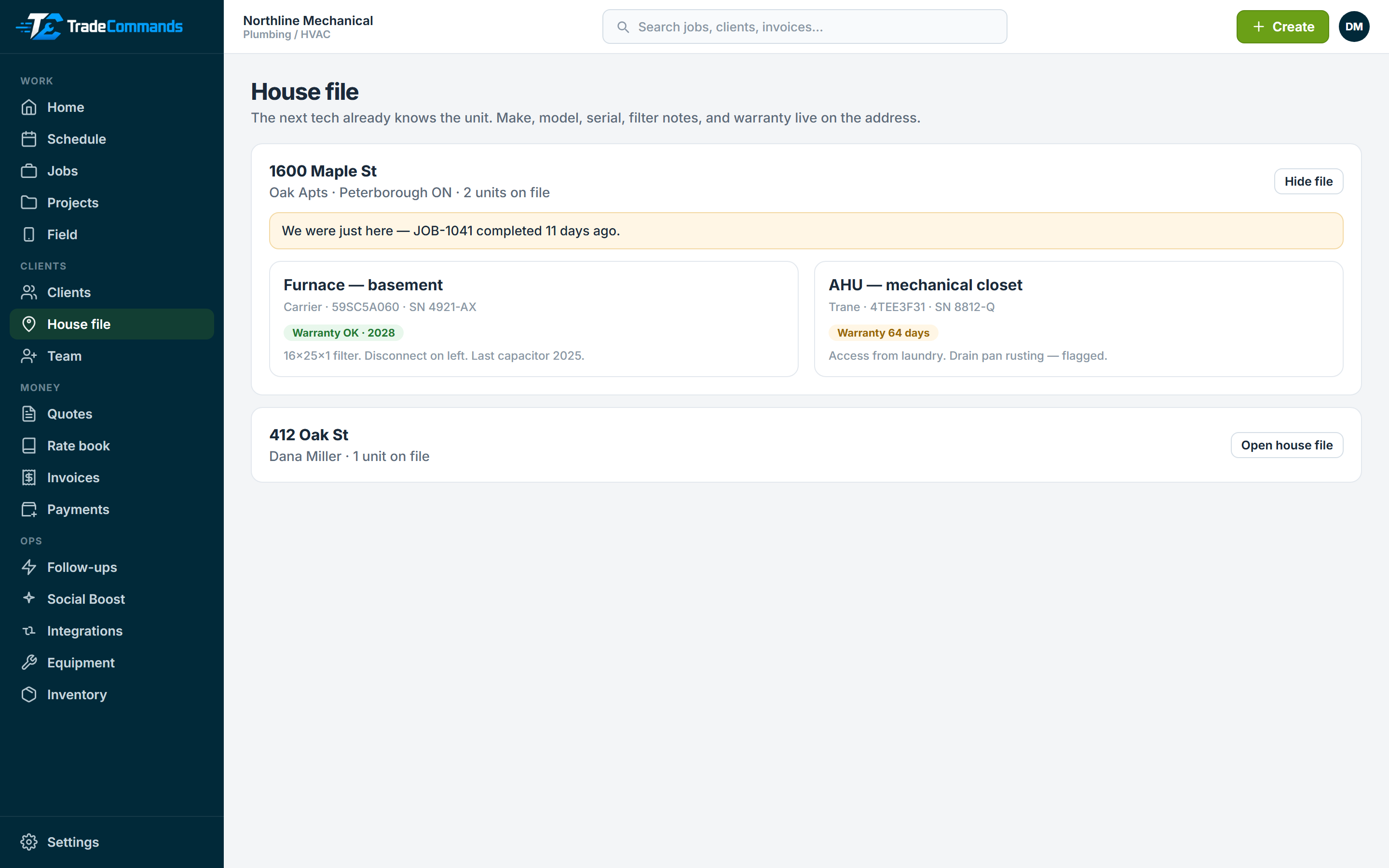
ServiceTitan’s secret is knowing the unit before you knock. Make, model, serial, filter notes, warranty — on the job and on the field phone. If you were here 11 days ago, the job says so. Don’t bill them for our miss.
- Units live on the address, not in a tech’s notes app
- Warranty countdown on the truck
- “We were just here” if you completed work in the last 30 days
Shop rate book
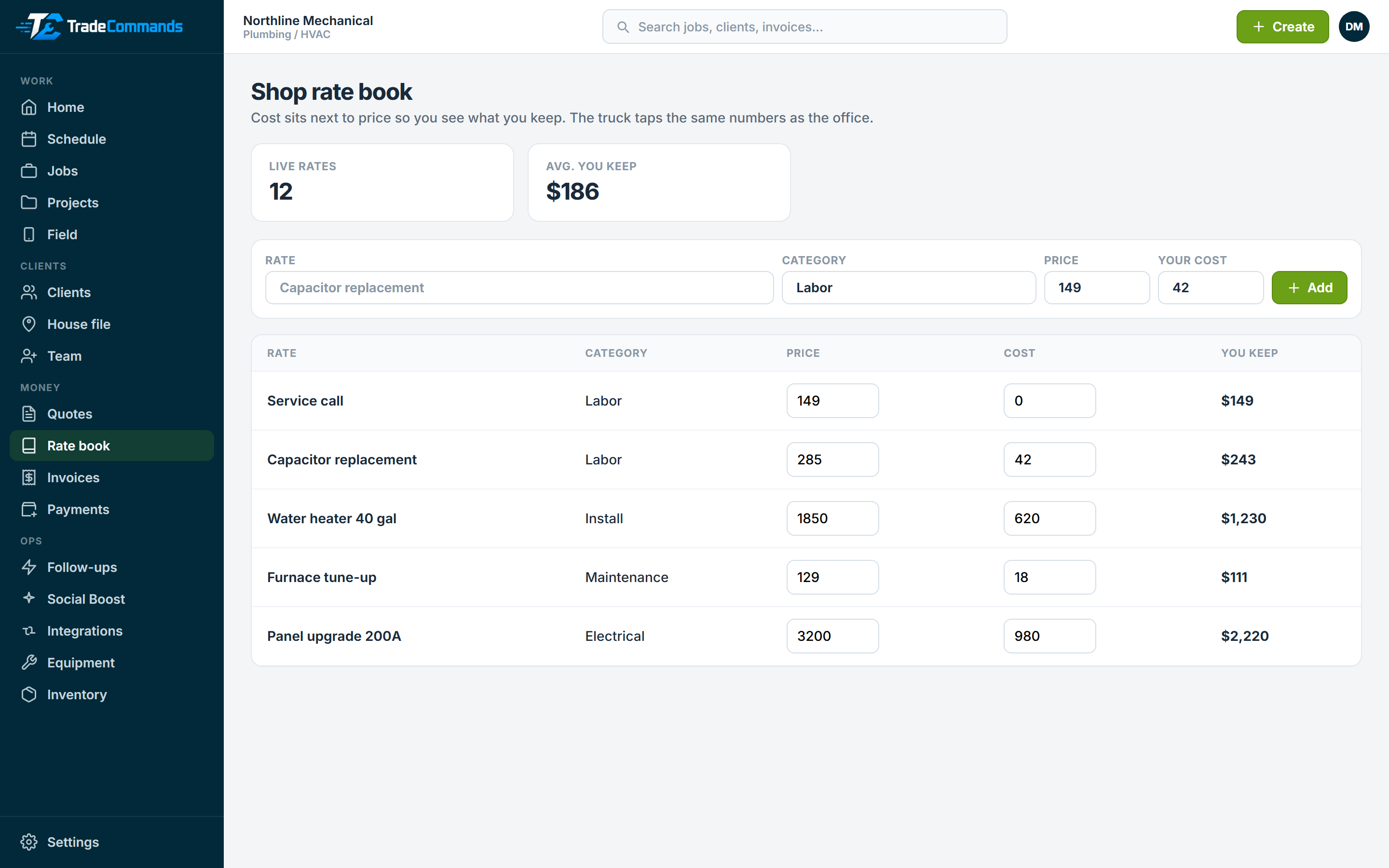
Jobber’s price book is what estimators actually live in. Tap a rate onto a quote or invoice. Cost sits next to price so you see what you keep — the truck does not invent $275 on the driveway.
- Starter rates you edit (service call, capacitor, tune-up…)
- Tap onto quotes and invoices
- Margin on the line, not a spreadsheet after the fact
What Jobber’s own users still ask for
Don’t make a second trip for a $285 capacitor.
On Jobber’s community, shops still beg for change orders from the job and a punch list that survives the visit. They text photos from personal phones. They pay CompanyCam. We put both on the same customer tracker.
While we’re here
Tech photographs the extra, taps a shop rate, and sends it. The homeowner sees the picture on the job page and taps yes before the van leaves. Approved extras land on the invoice. Collect on the driveway like always.
- No second quote, no personal-phone photo dump
- Priced from the same rate book as the office
- Decline is one tap too — “not today”
What’s left
A punch list on the job, not a form that dies when the visit closes. The customer can see 6 of 9 items done. The next tech does not guess what yesterday’s crew skipped.
- Job-level, not visit-level
- Visible on the customer tracker
- Check off from the truck
How it works
The loop a real shop already runs
Quote, take a deposit, run the job, collect the rest. Same afternoon you sign up.
01
Pay to book
Send a quote. They approve and put a deposit on your Stripe. The job hits the board.
02
Run the day
Schedule the crew, assign a tech, and track the job from booked to complete.
03
Proof on the bill
Before/after photos from the truck land on the invoice the customer pays.
04
Pay to leave
Tech taps Complete and collects the remaining balance before they drive away.
Platform
Office, field, and money in one system
This is the product — not a waitlist. Online booking, pay to book, pay to leave, while-we’re-here extras, follow-ups, house file, shop rate book, clients, schedule, quotes, invoices, team, and field.
Clients & properties
Every contact, address, and job history in one record so office and field are looking at the same job.
- ✓Residential and commercial
- ✓Property on the job
- ✓Quote and invoice history
Jobs & schedule
Create the work, drop it on a day, and assign a technician without a spreadsheet in the middle.
- ✓Unscheduled backlog
- ✓Day and week board
- ✓Assign from the schedule
Quotes they pay to book
Line-item quotes with a private link. Approve and put 30% down — the job lands on your board.
- ✓Approve & pay deposit
- ✓Money to your Stripe
- ✓Job created when it clears
Invoices & card payments
Bill the job, send a pay link, and take a card into your Stripe account — or record check and cash.
- ✓Customer pay link
- ✓Money to your Stripe
- ✓Photos on the invoice
Don’t leave unpaid
Tech taps Complete, photos go on the bill, and remaining balance is collected on the driveway.
- ✓Before/after on the invoice
- ✓Collect remaining on site
- ✓Or copy the pay link
Field documentation
Photos, notes, checklists, and markup on the job file. Insurance walkthroughs, the next tech, and the bill all look at the same record.
- ✓Talk a note from the truck
- ✓Insurance and install checklists
- ✓Circle the leak on the photo
Follow-ups that collect
Quote nudges, invoice chases, and tomorrow’s visit — on by default, with the pay link in the email. Not a Zapier toy.
- ✓Nudge unpaid quotes
- ✓Chase open invoices
- ✓Review only after they pay
House file
The next tech already knows the unit. Make, model, serial, warranty, and “we were just here” live on the address.
- ✓Equipment at the property
- ✓Warranty on the truck
- ✓Callback flag if you were here recently
Shop rate book
The office and the truck tap the same prices. Cost sits next to price so you do not quote a capacitor at cost.
- ✓Tap onto quotes and invoices
- ✓Margin on every line
- ✓Starter rates you edit
While we’re here
Found a rotten board or a dead capacitor? Photo it. The customer taps yes on the tracker. No second trip, no second quote.
- ✓Change order from the truck
- ✓Customer-visible punch list
- ✓Approved extras hit the invoice
Social Boost — the extra they don’t have
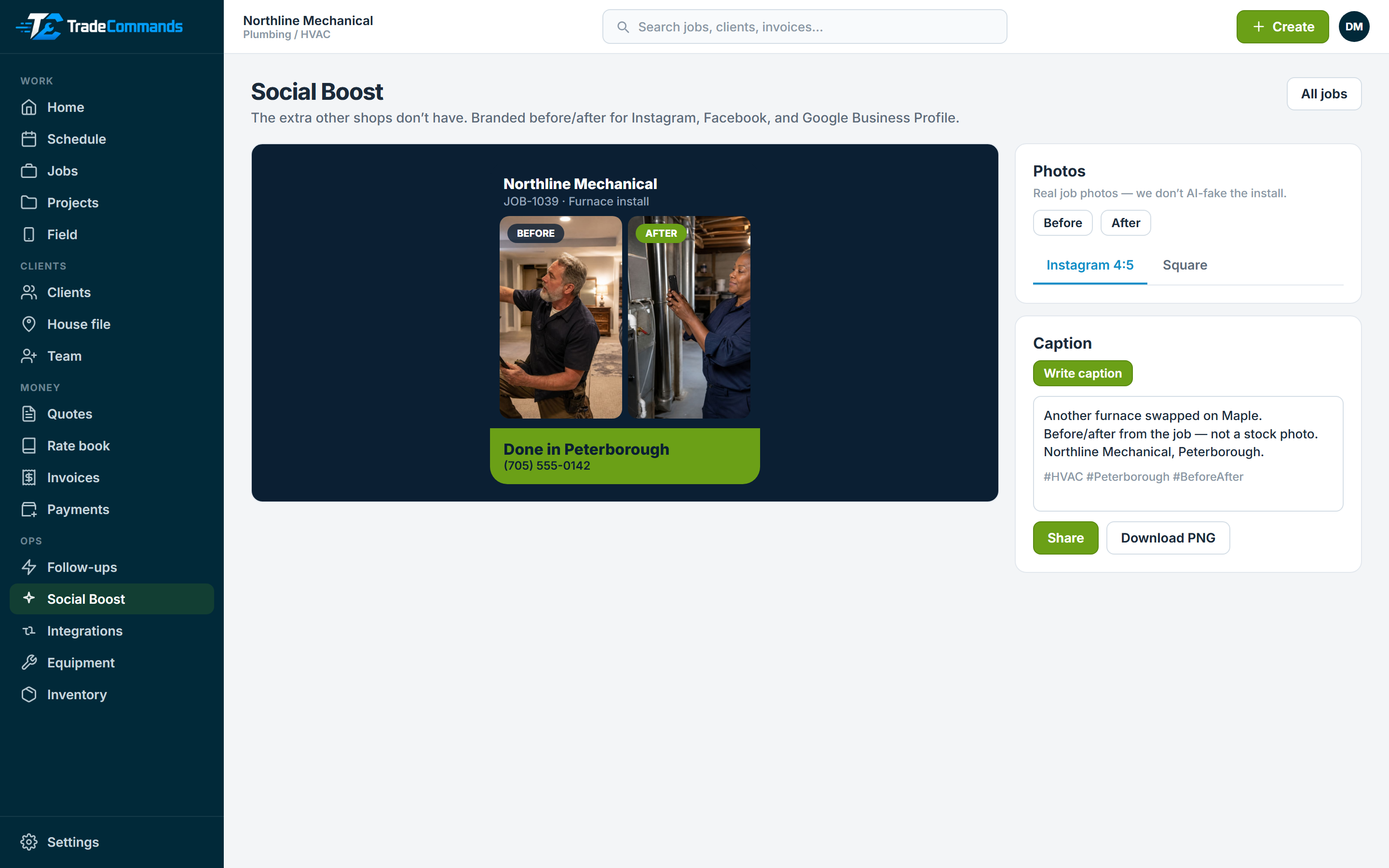
Finish the job, tap once, and you have a branded before/after for Instagram, Facebook, and Google Business Profile. Jobber shops still dump photos in a camera roll. This is the wow.
- ✓Your shop name on the graphic
- ✓Post to social and Google
- ✓Caption you copy-paste
Team
Invite technicians and office staff so every job has a name on it.
- ✓Add a teammate in a minute
- ✓Assign from the board
- ✓Each person signs in
Why switchCompare to Jobber
Jobber-class operations. Owner-class pricing.
Keep the workflow your crew already understands. Drop the annual contract, the mystery seats, and the six-week onboarding.
Month-to-month
Stay because the board works, not because legal locked you in.
Pay to book, pay to leave
Deposit on approve. Photos and remaining balance collected on the driveway. Jobber will not default to that.
Follow-up without the maze
Quote nudges and invoice chases run on their own. Every email has the pay link. Jobber hides this in a workflow builder.
House file + rate book
The next tech knows the unit. The van taps the same prices as the office, with margin on the line. Not GPS. Not another pay wall.
Price you can explain
Starter $29 (1 user). Growth $99 (5). Pro $199 (10). Jobber Connect is $139/month for one person.
TradeCommandsTypical FSM
Starting price$29/moJobber Core $49 for 1 user
ContractNoneOften annual
Card payYour StripeTheir processor
Pay to bookDeposit on approveOptional extra
Pay to leaveCollect on siteInvoice later
Follow-upsOn by defaultBuried workflow builder
Found workApprove on the trackerWrite a second quote
House fileUnit + warranty on the truckBuried in client hub
Rate bookTap + see what you keepPrice book, no margin on the line
Quotes + invoicesIncludedIncluded
Field viewIncludedIncluded

The morning briefing
The vans already know the day. The office already got paid.
Pay to book holds Thursday. Pay to leave closes the driveway. The house file is waiting on the next call.
Start free trialIndustries
Built around how trades actually sell work
Guides
How to run the shop, get reviews, and show the work
Practical reading for owners — the same topics competing field-service blogs rank for. All guides


Pricing
Simple plans. No surprises.
Starter $29 for 1 user. Growth $99 for 5. Pro $199 for 10. Extra seats $15.
Most popular
Growth$99/month
Crews · 5 users · Jobber Connect is $199 for five, $139 for one
Book a demoSister company
Bookings live here. A real website lives at 360 Nerds.
We are not Jobber Sites. Your shop gets a public /book link. Want pages, photos, and a site that ranks? 360 Nerds builds it — dirt cheap because you are already a TradeCommands customer.
FAQ
Questions owners actually ask
Is this a real Jobber alternative?
Yes. Clients, jobs, schedule, quotes they pay to book, invoices with job photos, collect remaining from the truck, while-we’re-here extras, Social Boost, follow-ups, a house file, a shop rate book, team, and a field view — month-to-month, from $29. Jobber Connect is $139/month for one user. Grow is $199 for one user.
What is Social Boost?
The extra most field-service tools simply do not have. Before and after from the job become a branded card with your shop name on it, plus a caption you paste into Instagram, Facebook, TikTok, or Google Business Profile (Google My Business). Real photos — we don’t AI-fake the install. OpenAI is optional and only writes the words.
Do my customers pay me, or TradeCommands?
They pay you. Connect your Stripe key in Settings → Client payments, or we’ll connect it for $49.
Do you build us a website like Jobber Sites?
No. You get a public book-a-visit link to put on Google and the van. If you want a real shop website, our sister company 360 Nerds builds it — dirt cheap if you are already on TradeCommands. Start at 360nerds.com and tell them you are a TradeCommands shop.
Do I have to sign an annual contract?
No. Plans are month-to-month. Cancel anytime.
How fast can we go live?
Most shops can create a client, quote, job, and invoice the same day. Card pay goes live as soon as your Stripe key is saved.
Can I try it before I buy?
Yes. Start a 14-day trial, or book a demo and we will walk your real workflow with you.
Jobber alternative · from $29/month
Run the shop from one screen. Get paid on the same job.
Create an account in minutes, or book a demo and we’ll set the first jobs — and Stripe — with you.
Month-to-monthCards to your StripeA fraction of Jobber
Social Boost. Finish the job. Own the feed.
This is the feature shops grin about on demos. Jobber does not turn a driveway install into a branded post. You do — Instagram, Facebook, and Google Business Profile (Google My Business) — from the photos already on the job. Real work. Your name on it. No fake furnace.
The wow card
Before on the left. After on the right. Shop name, city, phone. Looks like a designer made it. Instagram 4:5 or square. Share from the truck or download a PNG.
Social in one paste
Copy the caption into Instagram, Facebook, or TikTok. Optional OpenAI (your key) writes it. No key? You still get a clean template.
Google, too
The same PNG and caption drop onto your Google Business Profile. That listing is how locals find you. Before/after there is not a marketing suite — it is proof you showed up.